

Over the past three months, I’ve sat down with more than a dozen agency owners and operators for unhurried conversations about their work. It’s one of my favorite parts of my job as a product marketer, even if it means waking up at odd hours to meet with folks on the other side of the world, since I’m based in Australia. I love that I get a window into the running of a small business, and it’s almost always more interesting than the version you might see on LinkedIn.
Agencies and freelancers are something close to the lifeblood of Buffer. They’re genuine experts on social — often more current than we are, because they’re on the platforms every day on behalf of clients. They tend to find us through word of mouth (one of my conversations this quarter started with someone spotting a Buffer sticker on a stranger’s laptop in a Portland café). And once they’re in, Buffer becomes a core part of how they run the business, which means every job they need Buffer to do is one we take seriously.
What came through in those conversations is how much these agencies get done with Buffer, and which features they lean on.
I wanted to gather all of that in one place, so here’s a tour of every team feature in the team plan right now, plus what’s on the roadmap.
Content planning
The Ideas library captures content ideas in one shared space, with a kanban board that moves a rough thought through to ready-to-publish. Nothing gets lost in someone’s notes app, and a creator drafting in the morning can hand off to someone else in the afternoon without anything falling through the cracks.
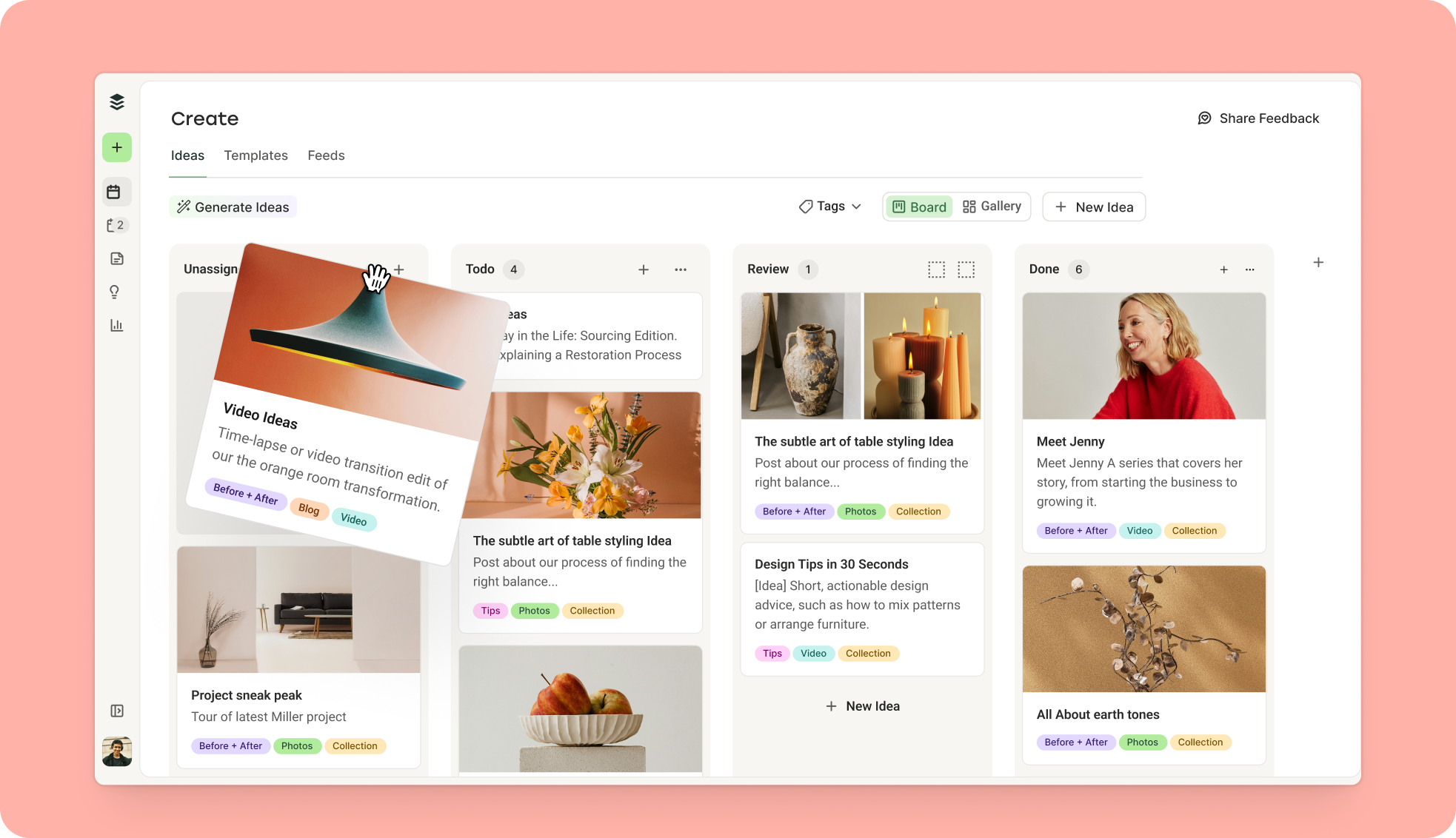
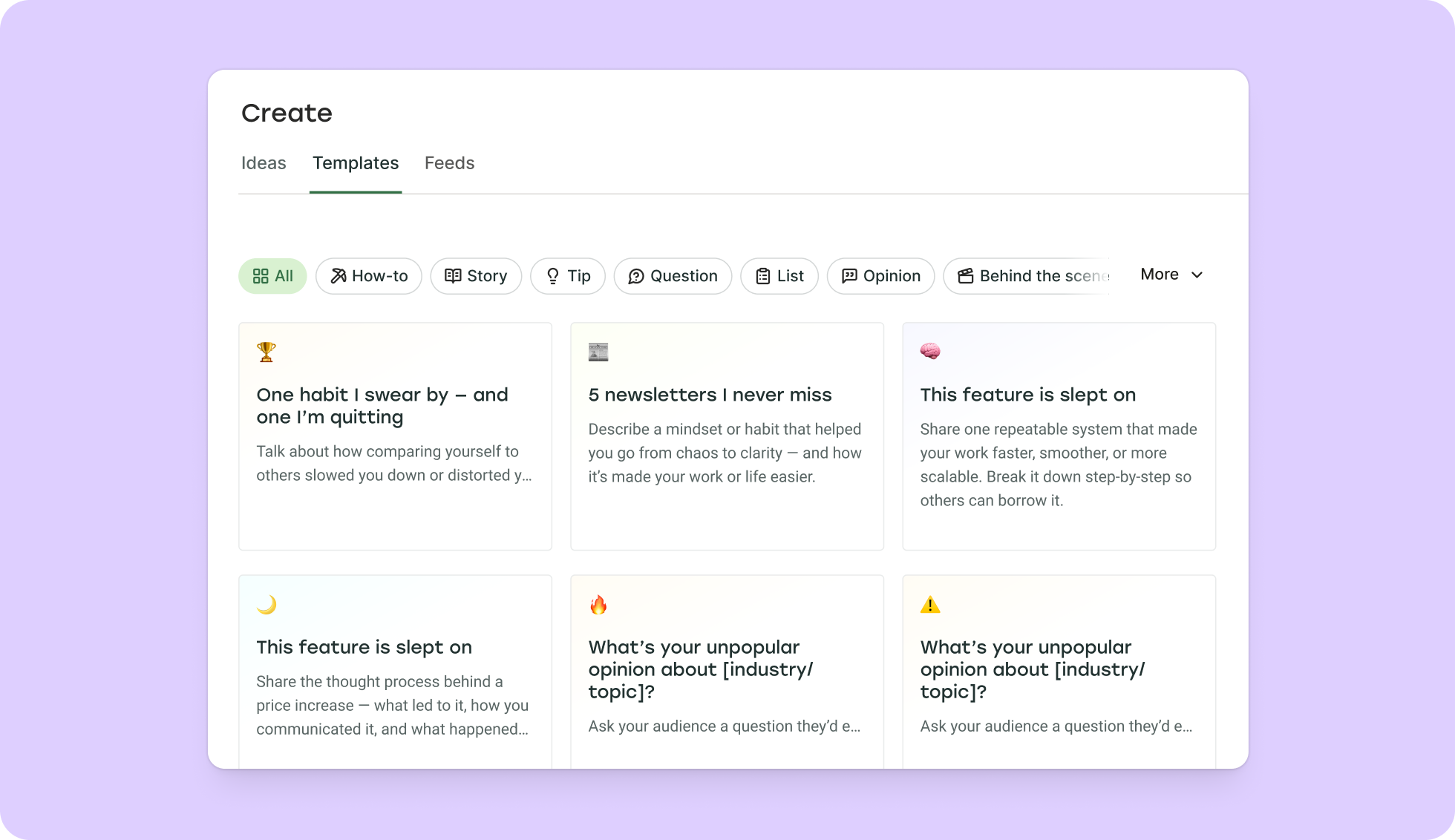
Once content is in motion, tags let you organize it into campaigns, topics, or client-specific buckets — however your team thinks about the work. Templates surface proven post formats that tend to drive engagement, and you can save your own for the recurring content your clients post regularly.
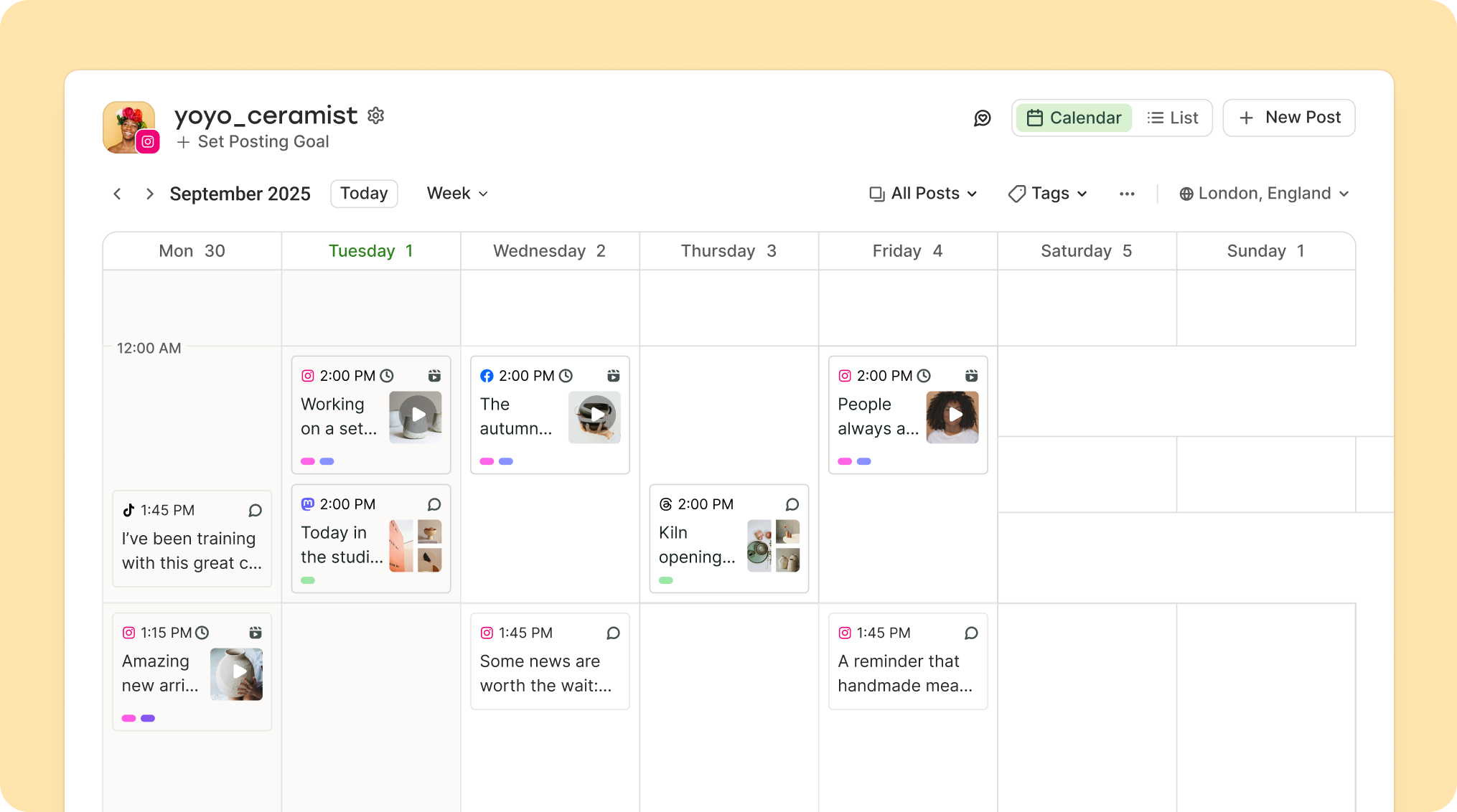
Once an idea is scheduled, it lands in the content calendar — your whole publishing schedule in one view. You can filter by brand, client, channel, or campaign, see the weeks or months ahead, and spot any gaps in your schedule.
Team collaboration
Every Buffer team plan includes unlimited users. You can add a strategist, a designer, a freelancer, or a client without checking a seat count.
For agencies switching off another tool, this is often the trigger. One Buffer customer I spoke to manages 70+ channels across 60+ senior living communities, and the seat cap on his previous platform was the reason he moved to Buffer. His team had been sharing logins because the plan capped users at six. With Buffer, everyone has their own account.
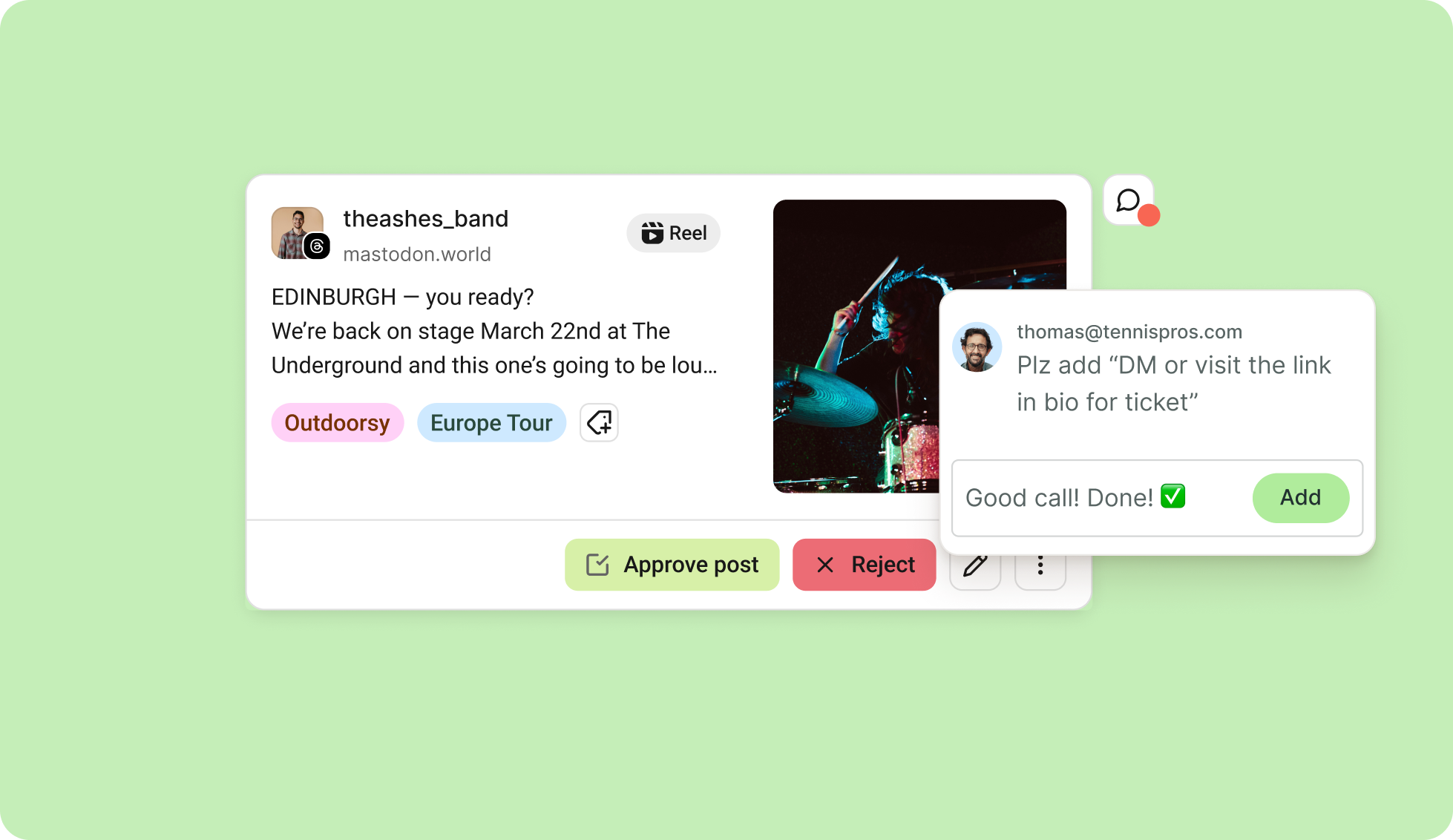
Permissions are also scoped to the people doing the work. Give team members read-only access if you want, hand them publishing rights for specific channels, or set up approval workflows for drafts. It’s useful when you’re working with juniors, contractors, or clients who need a way in without full run of the account.
Based on all the chats I had with agencies, many still do final client approval outside Buffer — in Google Docs, email threads, or shared boards. The agencies that have moved approvals into Buffer say it reduces errors caught after publication. The ones that haven’t would like their clients in Buffer, but getting a client to create an account and log in is a real barrier. It’s something we’re working on (see “Coming soon” below).
When something needs feedback, you can drop a note on a post. Comments live on the draft itself, inside Buffer, not in a Slack thread nobody reads. And once content is published, the community inbox pulls comments and replies from every channel into a single view, so no one on the team has to switch between five native apps to keep clients’ communities active.
Analytics & reporting
Insights tracks performance across all your channels in one dashboard, or zooms into a single channel when a client needs detail. The views are designed to be shown to a client without translation — no need to screenshot a chart and rebuild it in Google Slides.
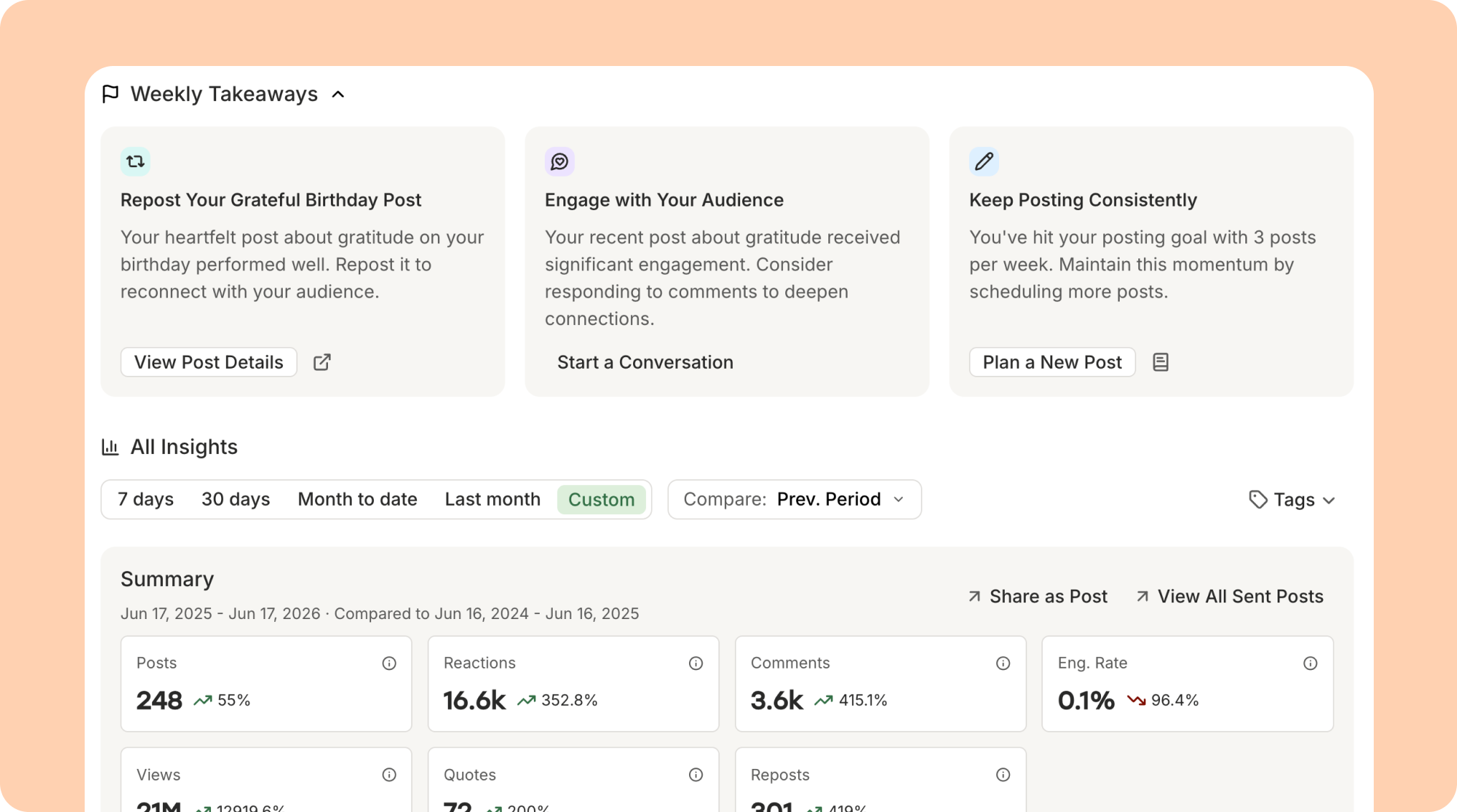
Reports export to CSV, PDF, or markdown. Markdown might be the most flexible of the three. It pastes cleanly into Notion or Linear if your team writes client updates there, and it’s the format AI assistants parse most reliably — hand a report to your assistant of choice and get back a written summary, a draft client email, or a list of things to try next week.
Takeaways are the newer half of the reporting picture. Buffer reads each client’s performance data and surfaces personalized recommendations on what to do next. Less “here’s a chart”; more “here’s what to try this week.”
Account security
Agencies hold a lot of trust. You’re managing accounts that belong to other people, and a single weak password somewhere on the team can put a dozen client brands at risk.
The team plan now includes enforceable two-factor authentication. Admins can require 2FA for everyone on the account, and team members who haven’t set it up will be prompted on their next login.
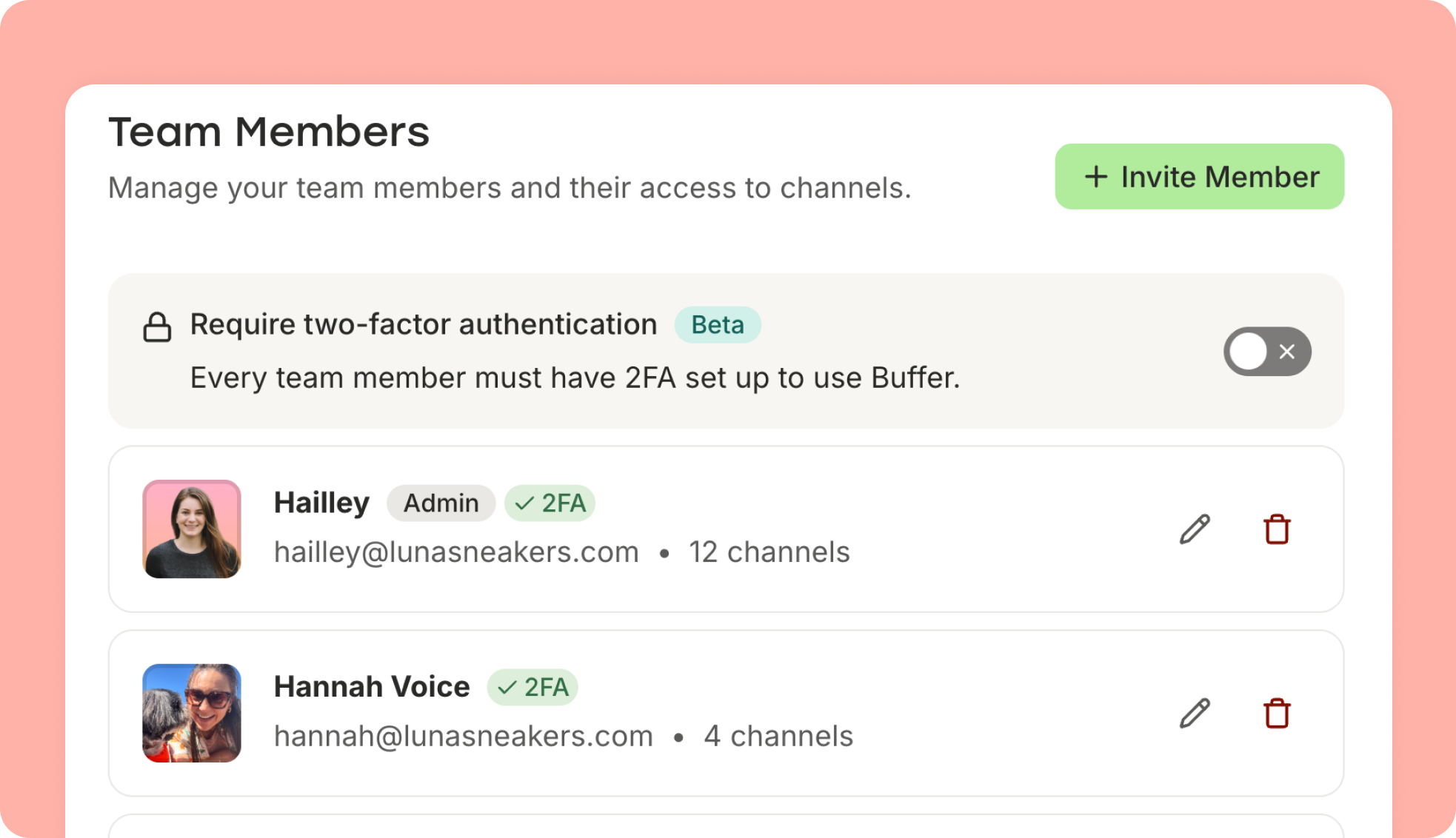
This matters most for teams that include external collaborators. One of our agency customers running a 15-channel non-profit account told us she was about to remove volunteer team members for repeatedly ignoring her requests to enable 2FA. Enforcement turns that “please enable it” battle into a system that the account simply requires.
Buffer is also SOC 2 compliant, which covers the rest of the security conversation that tends to come up when an agency is selling into bigger clients.
Integrations
The agencies and brands getting the most out of Buffer have wired it into the tools they already work in.
Native integrations with Canva, Zapier, Make, n8n, Google Photos, Unsplash, and more cover most of the workflows we see. If your team plans content in a tool that isn’t on that list, the open Buffer API gives you a way to build whatever you need — pulling posts from a Notion board, syncing to a client dashboard, or wiring approvals into your project management setup.
Marin Nedelev’s team runs 77 channels across nine countries on Buffer. They chose it specifically because the API let them build the cross-country reporting setup they needed, on top of Google Sheets and n8n, without paying enterprise prices for a platform that bundled features they didn’t want.
We’ve also been investing in AI-driven workflows. Buffer’s MCP server connects to agents like Claude and ChatGPT, so you can draft, schedule, and review posts in conversation instead of clicking through a UI.
And if you already recommend Buffer to clients, the Buffer partner program lets you become a formal partner and share in revenue. It’s a great way to turn the recommendation you were going to make anyway into a little extra income.
Coming soon
Guest access is one of the next major releases on the roadmap. Clients will be able to view and approve content without needing a full Buffer account.
This one is straight from customer research. Agencies repeatedly tell us they’d love to send a stakeholder a link — to the calendar, to a draft, to a queue — without asking that person to create an account, accept an invite, and learn another tool.
That’s not the only thing in flight. We’re investing in reporting, client visibility, and team admin across the next few quarters, and we’ll share more as those features get closer to being ready.
Built alongside the agencies that use Buffer
A lot of what’s in this post traces back to an agency asking for it, or showing us a smarter way to work. The conversations I have each month keep shaping what we build next.
The pricing reflects that partnership, too. Buffer is priced per channel, not per seat, so you can add as many people to the team as you need without the bill changing. When you win a client, you add their channels. When an engagement ends, you remove them, and your costs come down with you. You’re never paying for headcount or for a busy season that’s already passed.
You might already be getting more out of Buffer than you realized, or there might be a feature in here you’ll set up this afternoon. Either way, if you want a focused tool that grows and shrinks with your agency, you’re in the right place.
And if you’re already running your agency on Buffer — thank you. Those conversations are why we know what to build next.
Get started for free → or see how Buffer works for agencies →
